How a job moves through Cevora
One customer, from the first text to the second filter change, exactly as the screens look. Every picture below is the real product, running a dealership called Clearwater Water Systems.
A lead comes in, from anywhere
Office or ownerMarcus fills in the form on your website at 10:12. Twelve seconds later he is a card in the pipeline with the source, his water concern and a note. Leads from Google and Meta ads, Angi, home shows, referrals and plain phone calls land in the same place – the source stays on the card so you know what paid for itself.
- Website form embeds with one snippet, in your colours
- Duplicates are caught by phone number; a returning lead reopens, not doubles
- Every lead is assigned to a rep by ZIP territory
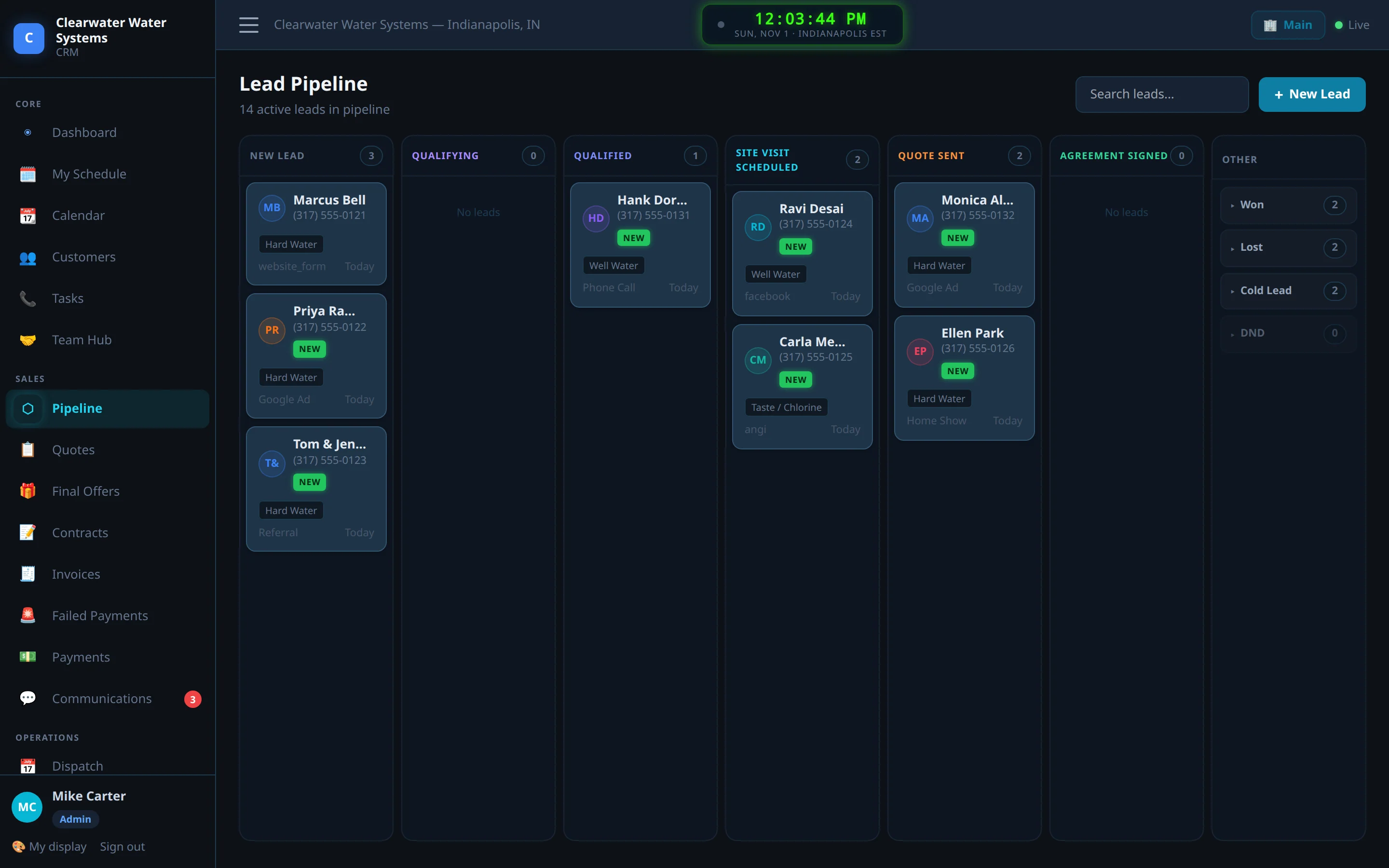
The text-back goes out before anyone picks up the phone
AutomaticThe lead gets a text from your business number within a minute – “thanks for reaching out, would Tuesday or Wednesday work for a free water test?” – and the rep gets a text that there is a new lead with their name on it. If nobody has contacted the lead in the time you set, the rep is nudged and then the manager is told. Replies land in the conversation, next to the lead.
- Consent is recorded with the lead; STOP is honoured instantly, for every number, forever
- Delivery status on every text, so you know it reached the phone
- A do-not-disturb flag stops the reps as well as the system

The rep books the visit from the truck
Sales rep, on a phoneThe lead opens on the rep’s phone: who they are, what they said, what has been sent, what to do next. The rep books the site visit; the customer gets a confirmation text and a reminder the day before. Everything the rep learns on the call goes in the notes once, and the office sees it.

The visit and the water test
Sales rep, at the houseHardness, iron, TDS and the customer’s real concern – the orange ring in the toilet, the spots on the glasses – recorded against the lead. The visit sits on the rep’s calendar beside installs and filter changes, so the office can see the whole week at once.
- Visits, installs and service on one calendar, by person
- “On my way” text with one tap
- A visit that ends in no quote records why, and when to come back

The quote: purchase, rental or financed
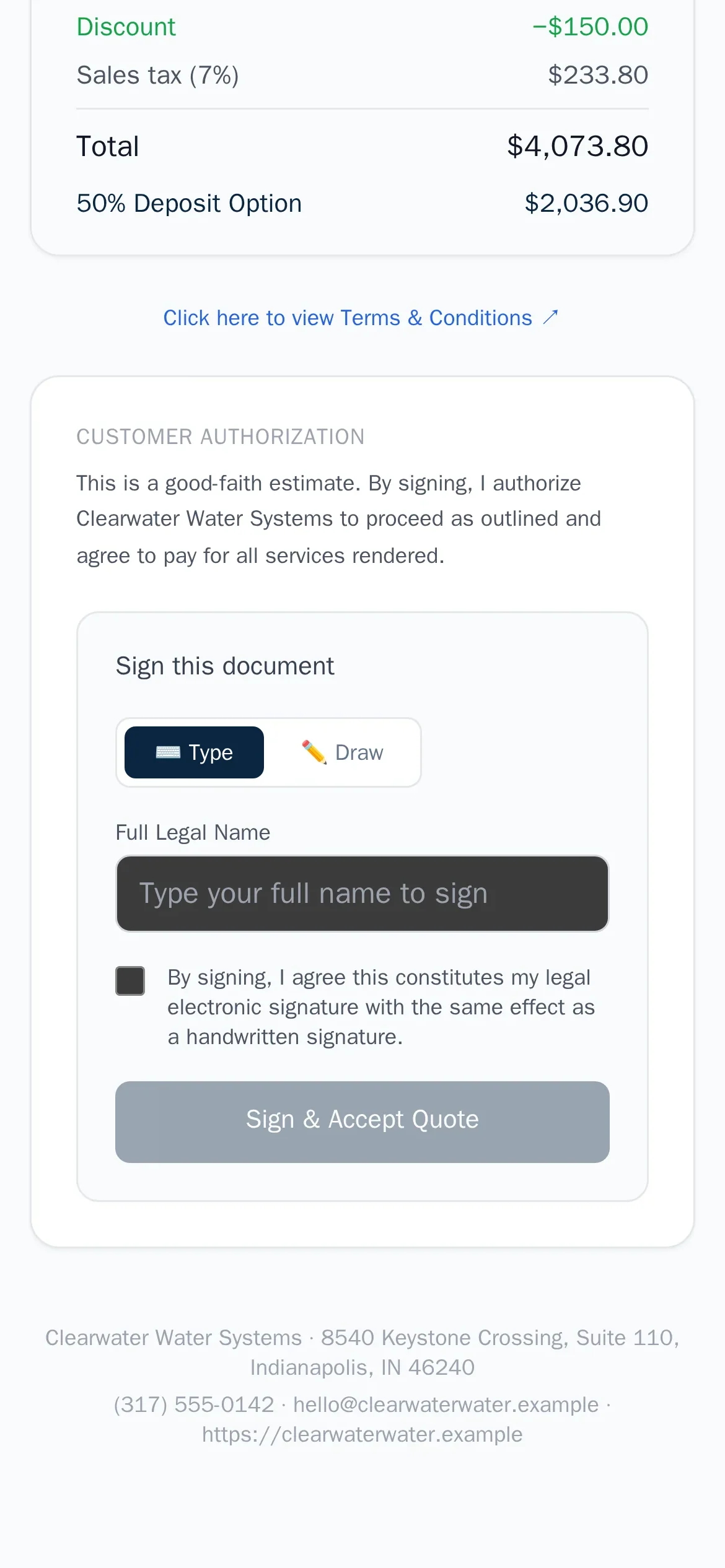
Sales repThe rep builds the quote from your catalogue – the 48K softener, the RO, the install fee – with the discount they are allowed to give and the tax the branch charges. A purchase quote shows the price and the deposit; a rental quote shows the monthly and the term; a financed quote hands the customer to the lender after they sign. Nothing is retyped from one to the other.
- Install fees and tax rules per branch; install fees are not taxed where the law says so
- Maximum discount per product, set by the owner
- Sent by text and email with one link

Signed at the kitchen table
Customer, on their phoneThe customer opens the link, reads the terms, picks how to pay and signs with a finger – at the kitchen table while the rep is still there, or that evening from the couch. The moment they sign, Cevora creates the contract, takes the deposit if there is one, puts the install on the calendar and tells the rep.
- Signed name, time and IP kept with the quote
- A copy of the agreement goes to the customer by email
- You see when the quote was opened, so follow-ups are timed right
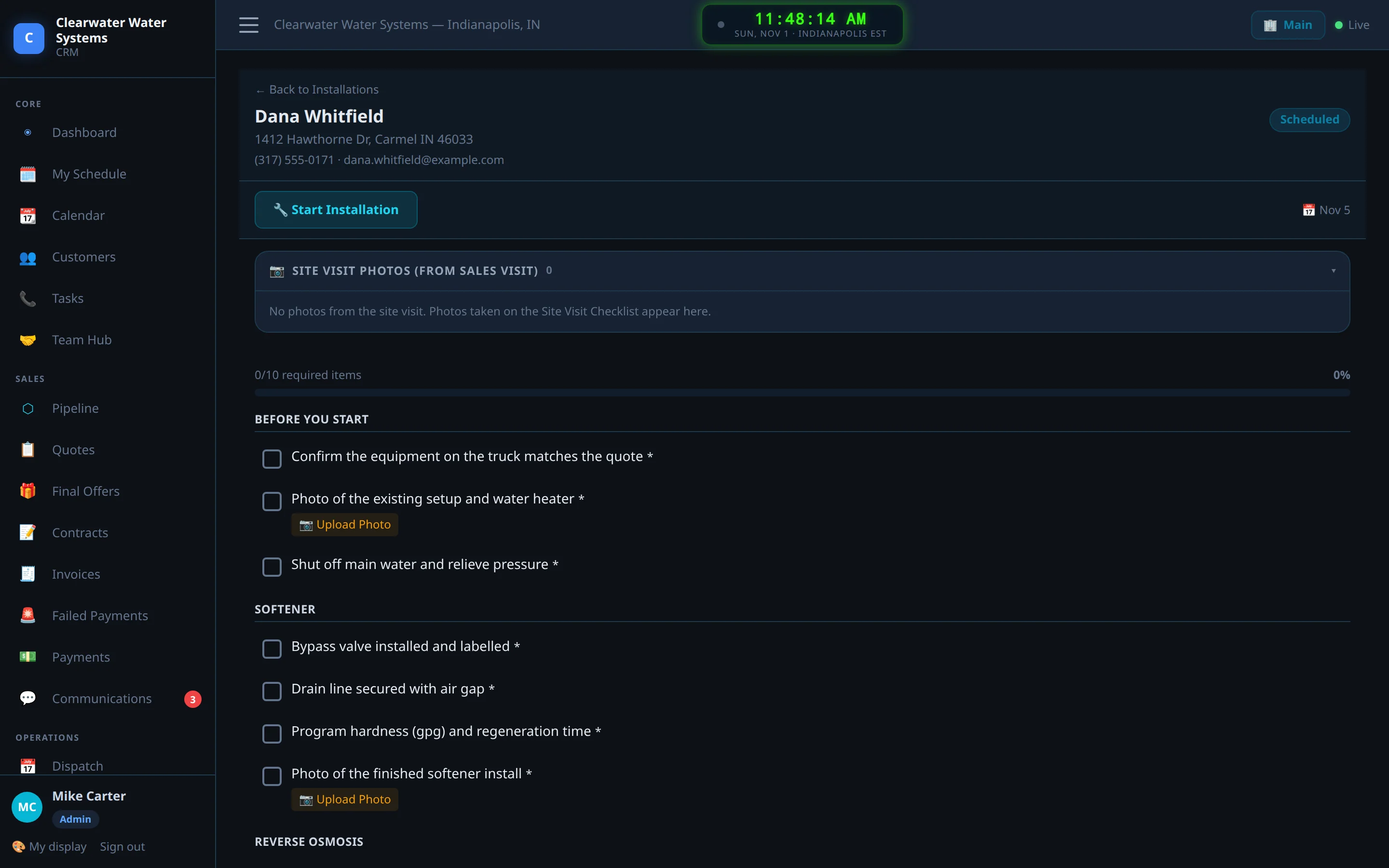
Install day is dispatched, reminded and checked off
TechnicianThe install lands on a technician’s day with the address, the equipment and the notes from the visit. The customer gets the reminder and the “on my way” text. The technician works through the checklist on a phone, takes the photos, records the serial number and marks the job complete – and that moment is what starts billing.
- Checklists per system type, with required photos
- Inventory reserved against the job when you track stock
- Nothing is charged until the install is really done
The technician’s day on a phone
TechnicianMy Schedule is the technician’s whole app: today’s jobs in order, the customer’s phone, the directions, the checklist, the photos and the one button that matters – On my way. No laptop, no paperwork, no calling the office to ask what is next.

Rentals and plans bill themselves, every month, on time
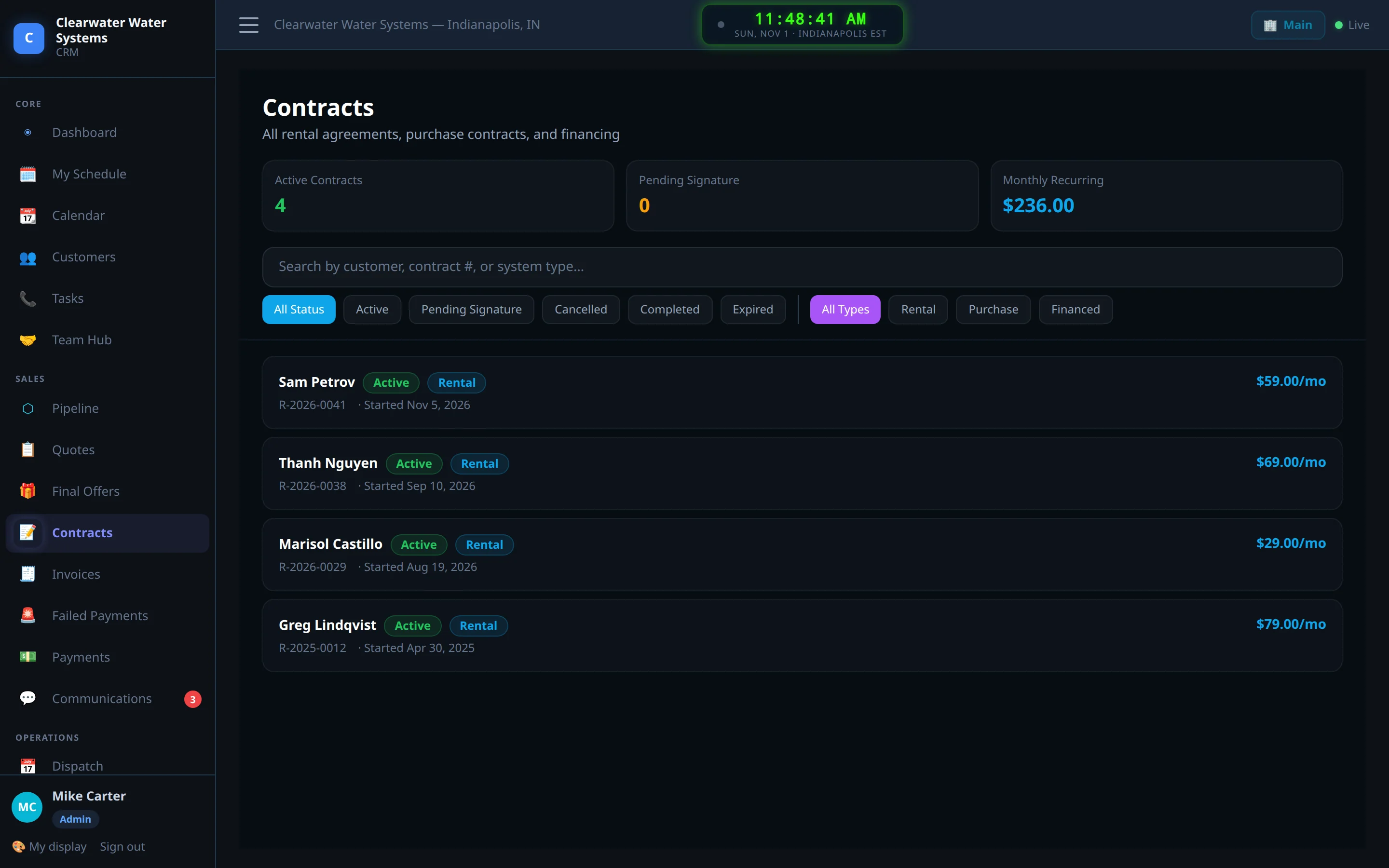
AutomaticThe rental contract charges the card on its billing day; the service plan charges monthly or yearly; the Payments page shows what ran, what is coming and what failed. A declined card gets a text with a link to update it and a retry a few days later. You never back-bill a paused month and you never chase a check for $59.
- Stripe autopay through your own Stripe account
- Buyout figure always current on the contract
- Pause billing for a customer who asks; it picks up where it left off
When a card fails, you see it before the customer does
OfficeFailed Payments is a short list, not a surprise at month end. Each one shows why, what was sent to the customer, and when the retry runs. Mark it resolved when the card is updated, or take a cash or check payment and the record follows.

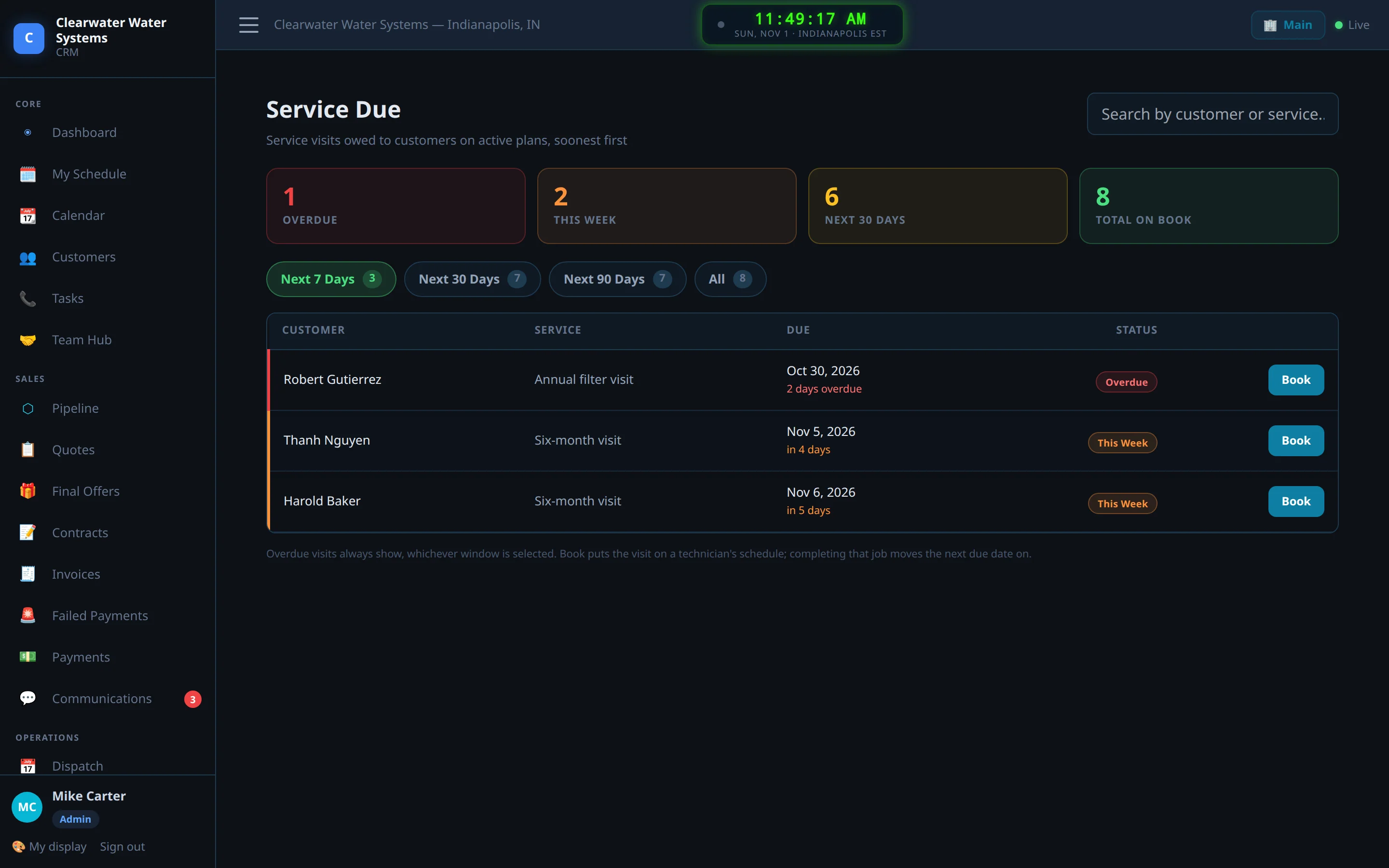
Six months later: filters are due, and the board knows
Automatic, then the officeEvery installed system knows when its filters are due and which plan covers it. The Service Due board lists the month’s visits; the reminder text goes out two weeks ahead; the customer replies with a day and the visit is booked on a technician. Salt reminders work the same way for softeners.
- Plans with one or two visits a year, or any interval you sell
- Filters and parts tied to the system, so the truck is stocked right
- Review request after the visit, referral ask after the review
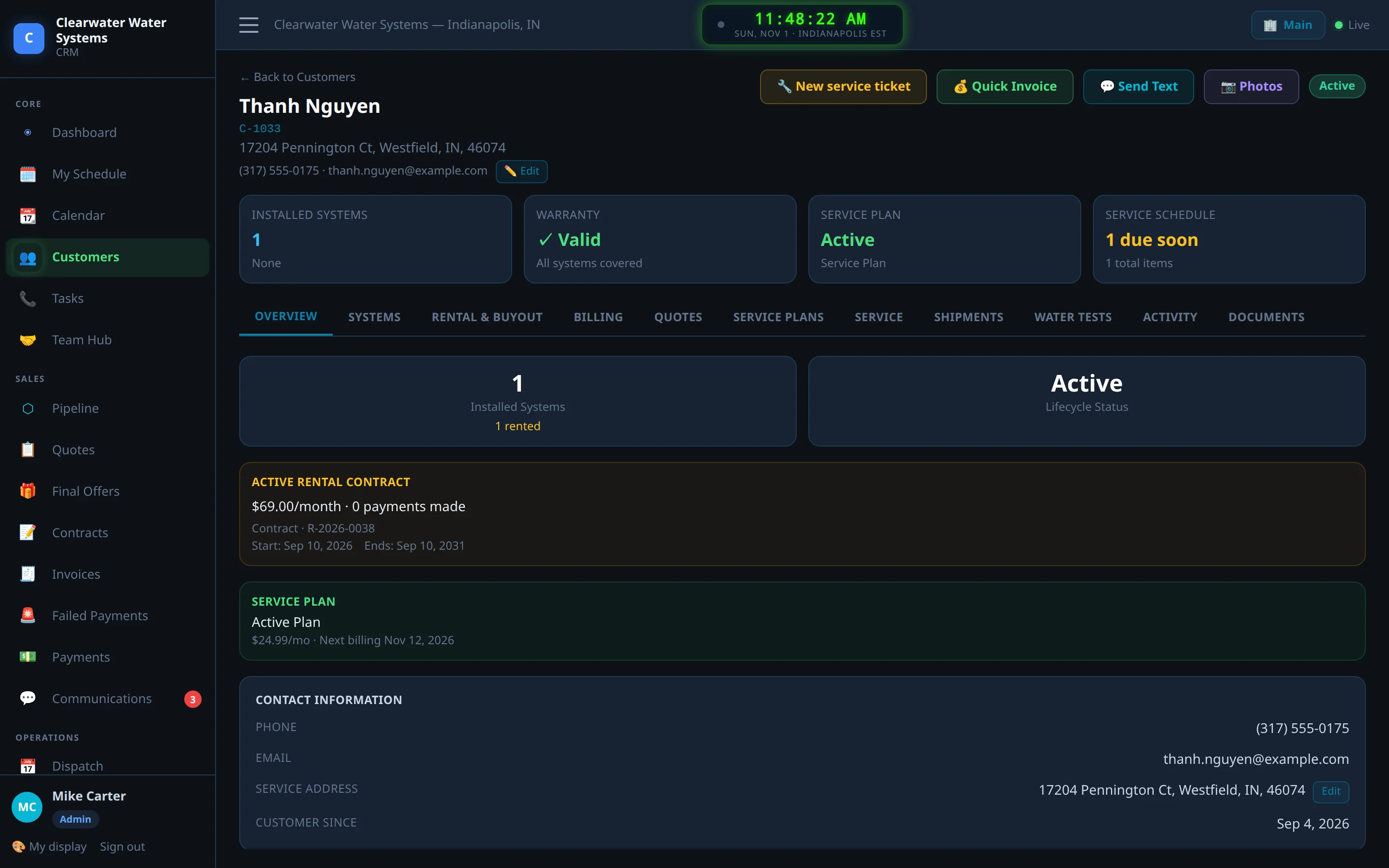
The customer record, for the next ten years
EveryoneOne page per customer: the systems in the house with serial numbers and warranty dates, the rental or plan and its billing, every text and email, every visit and photo, every payment. When they call in 2031 about a noise in the softener, whoever answers knows exactly what is in the basement.
The owner’s numbers, without a spreadsheet
OwnerRevenue, installs, what is on autopay, close rate by rep and by lead source, and commission statements worked out from the discount each rep gave – earned the day the install is done, paid when you say so. The business view shows every location on one screen.
- Commission tiers you set: hold the price, earn a higher rate
- Marketing sources with cost per lead and cost per sale
- A weekly report in your inbox, and a map of where your customers are

More screens
A few of the pages you will live in. Every one of them works on a phone.


See it with your own leads.
Start the free trial, paste the form on your website, and the next lead that comes in walks through every step above – on your account, with your prices.